


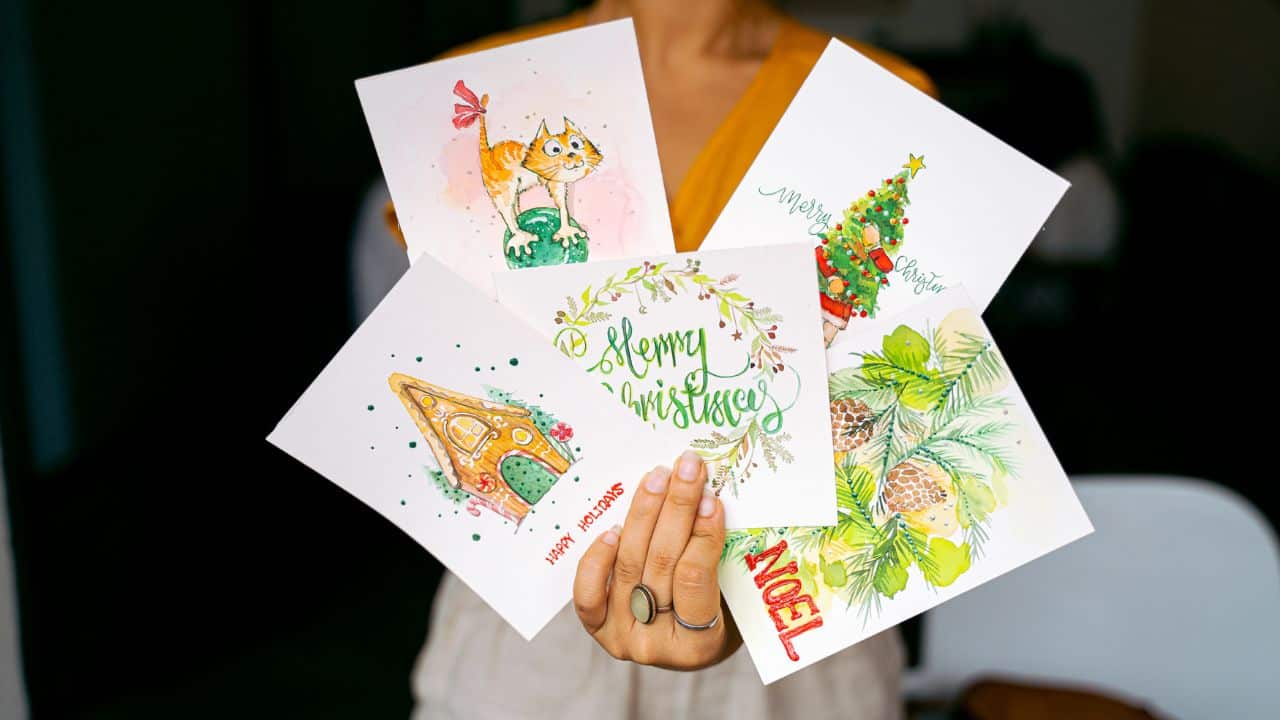

Personalised Christmas cards are great for congratulating your colleagues and business partners on the upcoming holidays. This quick guide will teach you how to choose the right colours and illustrations for your greeting card, how to create your own Christmas cards and where to print it.
How to create a personalised Christmas card
When designing Christmas cards, consider the emotion you want to evoke. Nostalgia? Joy? Inspiration? Remember that the style of your card needs to fit your brand personality. If you have a solid business in an industry like finance, avoid using memes and similar things for your card.
Illustrations
Choose photos or illustrations based on the mood you want your card to convey.
- Do not use images from stock image websites. If you sell Christmas items such as sweets, candles or toys, use photos of your products.
· Feel free to use lots of different illustrations, from traditional Christmas trees to beautiful stars and jolly snowmen. You can also experiment with the typical elements that are common in your industry.
Colours
- Red, green, gold and silver are the colours most commonly used on Christmas cards.
- Add your corporate colours to create a connection with your brand. It might be a good idea to enhance your corporate colours with glitter or shiny effects.
- Avoid using more than three shades, and make sure your illustrations match the background colour.
- Ask card recipients to participate in the creative process. For example, leave part of the illustration unfinished so they can complete the card themselves.
Fonts
- Use clean and legible fonts without serifs. Make sure the font is easily recognisable, even at a small size.
- You can use handwritten fonts to make the card more friendly and personal.
- Avoid combining more than two colours if you don’t want the card to look amateurish and messy.
Text
- Your congratulatory text must match the brand voice. If you use an informal communication style on social media and with your chatbots, keep it the same on your card.
- Address each recipient by their first name for a more personal effect.
- Take enough time to come up with a concise yet meaningful text for your card. Thank your customers, employees or business partners for their loyalty to your company.
- Also wish them good health and other great things in life. Avoid addressing the religious aspect of the holiday.
- Remember that Christmas cards are not a promotional tool. You should not use it to promote your new product or special offer. The recipient needs to feel that you genuinely care about them with a personal touch.
Branding
Design your custom Christmas cards with your company name, colours and fonts, logo, etc. There is no better way to make your design stand out.
- Try not to cram your card with all the branding elements available. One or two elements will be more than enough. For example, you can add your logo, company colours, or company name in your company font.
- Find a smart way to appropriately integrate the elements of your brand identity into your design. For example, you can “write” your company name in the snow or on an iced window. If you use your company logo, then you can design it in the shape of a Christmas bauble hanging from a shiny Christmas tree, for example.
- Don’t forget to add the recipient’s address and contact information (email, phone).
Card Designs
- When choosing the right card shape, also consider the size, layout and format of your graphics, the amount of text and other design elements.
- Most Christmas cards are square or rectangular in shape. Both vertical and horizontal orientations work well if you choose a rectangular card.
- You can leave the card’s corners straight or make them round or jagged.
- How about an original shape? Design the card in the shape of your product, a gift box, a star, a Christmas tree, a toy, etc. There are endless possibilities! Remember that printing a card with a non-standard shape will cost more.
Standard sizes
The more elements you want to include in your card, the larger it needs to be. Christmas card sizes can vary in different countries. Here are the most common dimensions for Christmas cards:
- 127 х 178 mm
- 152 х 203 mm
- 102 х 203 mm
- 127 х 127 mm
Essential tools for designing a card
Designing a beautiful Christmas card is a breeze, thanks to advanced graphic editors and online tools. The choice of tool depends on how well you can draw and how sophisticated you want your Xmas cards to be.
Online services are the easiest way to design a beautiful Christmas card. However, such tools use generic templates, so you won’t get a totally unique card. If that’s okay with you, then use Adobe Express, Canva and other similar platforms. You can customise the Christmas card template once you’ve chosen it by changing the text, colour palette and more.
Where to print your card
Once you are done with the card design, then you can choose the material and the appropriate printing method.
Printing methods
You can choose between two main options, depending on your budget and deadline:
Online services. Register and then upload your card design to the printer’s website. Choose the size, material and number of cards you would like to receive. Pay for the order. Wait for the printed cards to be delivered to your specified address. You can use Doxzoo for online printing services with just a few clicks.
Offline printing services. Use Google Maps to find a print shop near your home or office. You can place an order if you are happy with the customer reviews.
Looking for a reliable printing company?
Get an instant quote