


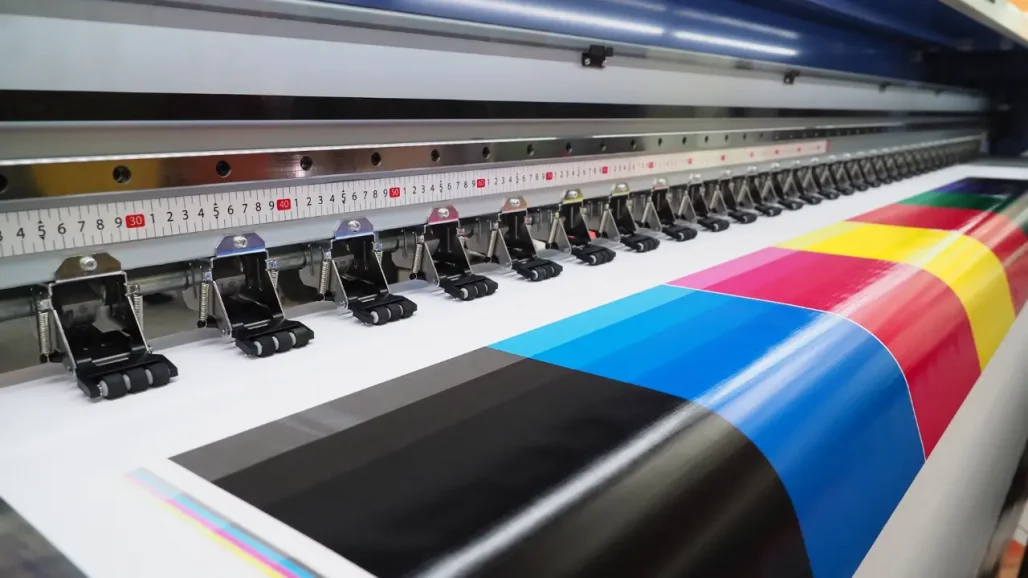
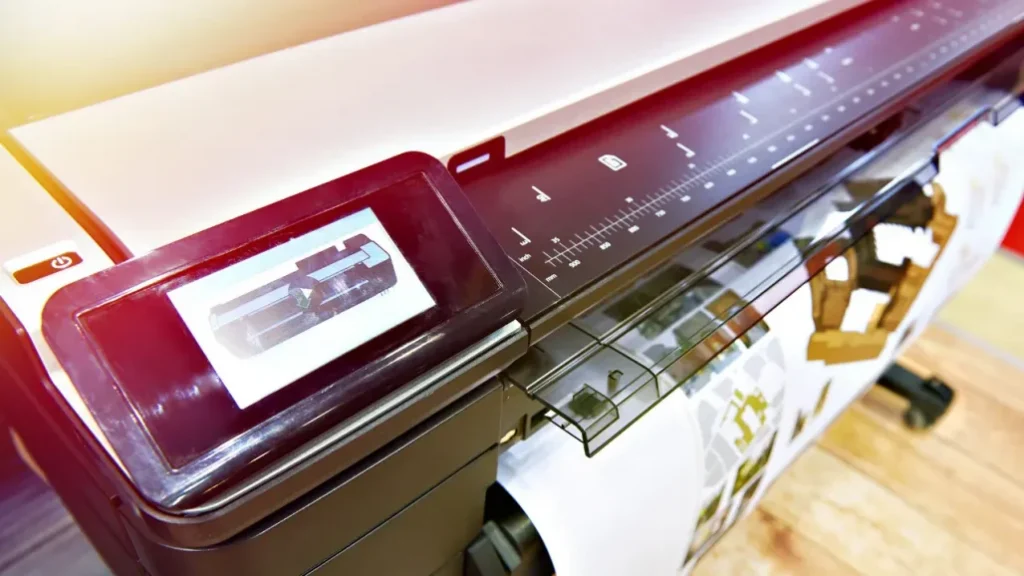
Large-format printing is still indispensable, especially in the CAD environment. Hundreds of prints may be required for complex projects – whether they are drafts, project plans, or drawings for production. Reason enough to look at what needs to be considered when purchasing.
Over 20 years ago, HP introduced inkjet technology for formats up to DIN A0, which would have required large-format printers. This replaced technologies such as electrostatic plotters. One was extremely expensive; the other, an electrostatic plotter became too slow: you could wait an hour or more for a drawing in DIN A0 format. What remained of the electrostatic plotter was the printer language HP-GL/2, which HP had explicitly developed to control them. HP-GL/2 is still the standard for printing technical drawings.
Tip 1: A technical large format printer should support HP-GL/2.
The possibility not only to define lines but also to control individual dots thanks to inkjet technology required the development of additional printer languages. Also, HP set standards with PCL3 and PCL5/6. Adobe PostScript soon became the common language across manufacturers. Since original PostScript (PS) increases the price of printers through license fees, some manufacturers use their own PS derivatives.
Tip 2: Emulations do not consistently reproduce what the designer intended.
For example, fonts may not be displayed correctly, or lines may have the wrong line widths or colours – or may be missing altogether.
Rated printing speeds are no longer expressed in “hours per drawing” but in “drawings per minute”. Fast “conventional” printers today deliver up to 4 DIN A1 drawings in 60 seconds; with new technologies (HP PageWide XL), even up to 30 DIN A1 pages per minute. However, the speed depends on the so-called printing unit and where the data is prepared for printing. In the case of inexpensive printers, the computing power of the PC or workstation is often used for this purpose. On the one hand, this results in computing power being subtracted from the PC or workstation.
Tip 3: Ensure the large format printer renders the work.
One issue that probably concerns all users is printing costs. Comparing the prices of ink cartridges does not help in making a decision. Even if we restrict ourselves to the ink costs, it is worth taking a closer look. As a rule of thumb, the more expensive the printer, the cheaper the ink. However, not all ink ends up on the paper. Some printers use a lot of ink to clean the printing system. This is a necessary but possibly quite expensive procedure because the ink is lost without being printed.
Tip 4: Your dealer knows what the large-format printer consumes.
Look directly at the printer to see if there is an ink collector. If there is not, this is a good indication of low ink costs. If you can, ask your dealer to initiate a ” deep cleaning” of the printing system, possibly several times in a row. Look at the ink amount in the tank before and after this cleaning. Or better yet, weigh the container with a letter scale before and after.
Let’s stay with the ink for a while. The question is how many ink tanks (=colours) are needed. Theoretically, 3 colours are sufficient – cyan, magenta and yellow (CMY). This means that by omitting and mixing the colours (for example, yellow + magenta = red) up to complete coverage (all three inks = black), all colours can be represented. In practice, it has been shown that composite black is not black. All printers today have a fourth tank: black (K). But what does the printer do with grey lines or areas? Here, it often mixes and does not produce a truly neutral grey.
Tip 5 Large-format printers: Neutral greys are often desired
Make sure that the printer has six colours. In addition to CMYK, you will find two more achromatic colours (for example, grey and photo black) for the neutral grey tones and deep black.
And another thing about ink: there are two fundamentally different types of ink: pigmented inks containing solid dye particles. Together with the carrier liquid, the particles, which are about 50 to 150 nanometres in size, form a dispersion. Pigmented inks increase the durability of prints, mainly used for posters, billboards or photographs. The other type of ink contains the dyes in a solution.
Tip 6: Manufacturers divide their wide-format printers into “technical” and “photographic” devices
One of the differences between the two types is the type of ink used. For CAD drawings, choose a technical printer.
In addition to the purchase and operating costs, the decisive factor is how the printer performs in daily work. To do this, make a few basic considerations: How high is your print volume? Do you print a little every day or intermittently? How many employees send their jobs to the device? How many different papers or formats do you print? For example, getting a device with more paper rolls may be worthwhile if you work with two standard sizes. This eliminates the need for frequent changes, which means you are less busy with the printer and can concentrate on your work.
Tip 7: Talk to your dealer to clarify all questions before purchasing.
In addition to the hardware, a printer’s control menu and firmware are decisive for its performance. Various settings can be made via the control panel, or consumption data can be read out. Functions such as “nesting” or “queueing” are also controlled via the menu. The firmware is automatically updated via an internet connection. This corrects programming errors; for example, the printer “learns” something new occasionally via an update.
Conclusion – large-format printers for CAD users
Especially for CAD users, large-format printing remains sensible in the long run, if not necessary. It is worth considering exactly what features the printer should have. The number of suppliers is quite manageable, and the dealers are well-trained, so a purchase decision can be made quickly. As with all capital goods, the same applies here: The price does not make the decisive difference because
Looking for a reliable printing company?
Get an instant quote